Freelancers and small businesses
Your head is for your work.
Between two customers, you tell me what’s coming up. I add it, with a due date and who it’s for, and later show you what you noted down.
On the go
Said out loud, back as a task.
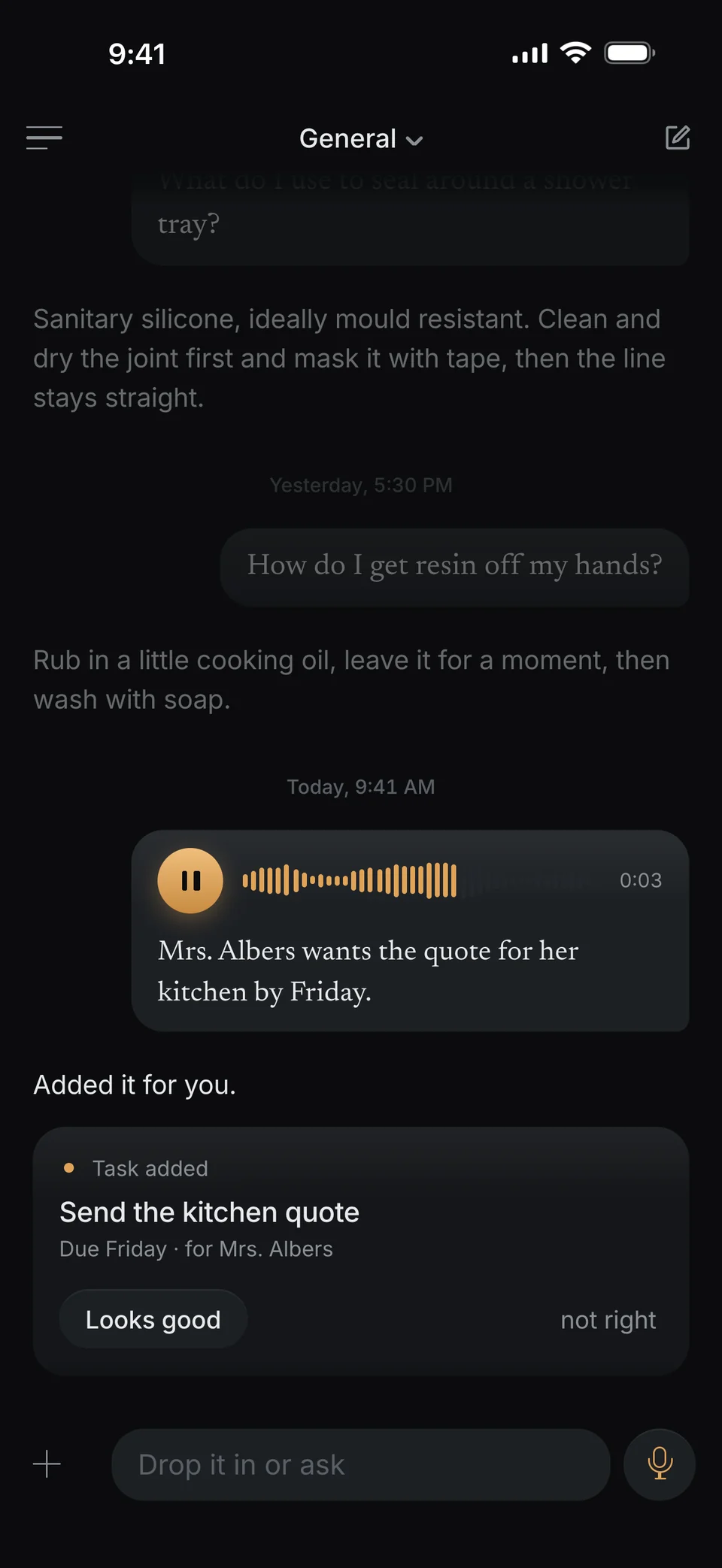
You walk out of a customer visit and speak into your phone: “Mrs. Albers wants the quote for her kitchen by Friday.” I add the task, with the due date and who it’s for.
-
No typing.
Your iPhone writes down what you say. The recording stays with it.
-
You see right away what I added.
If something’s off, tap “not right”, and I take it back.
At the office
One photo, and the due date is set.
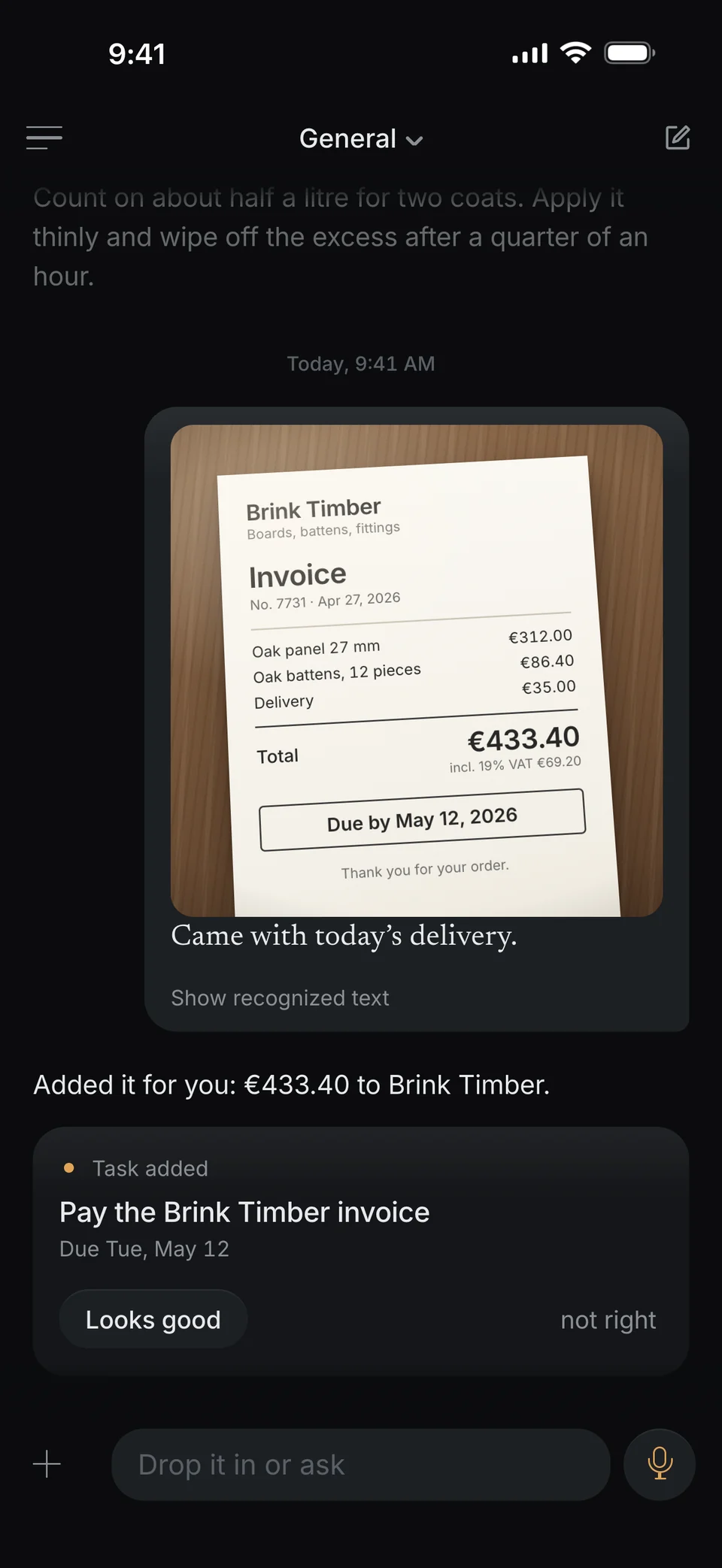
Take a photo of your supplier’s invoice. I read the amount, the payee and the due date and add the task for you. PDFs work the same way.
-
Reminded in time.
With reminders turned on, I ping you at nine on the morning it’s due. If it has a time, an hour before.
-
The original stays.
The photo stays in the chat, and you can find it again later.
Weeks later
What you noted down, word for word.
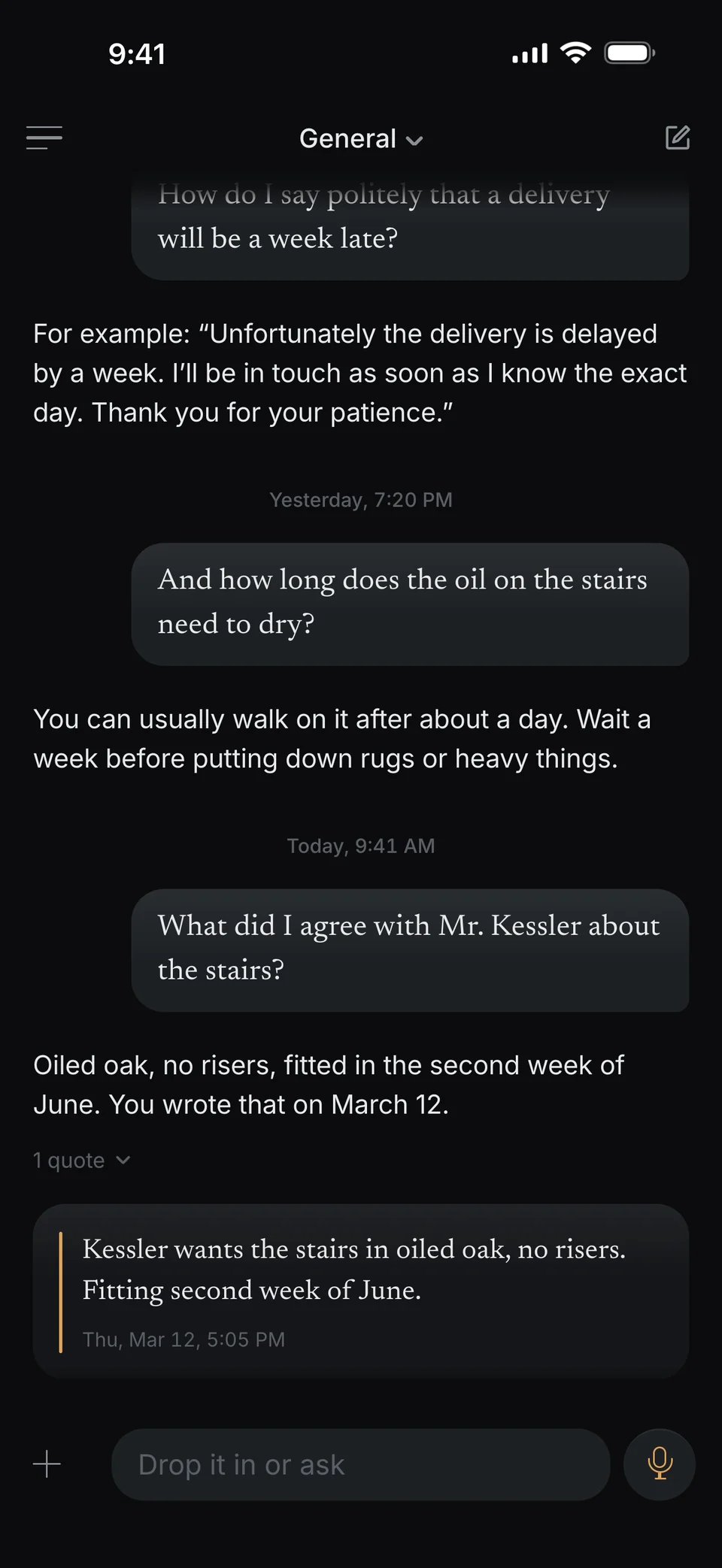
“What did I agree with Mr. Kessler about the stairs?” I show you your own note from March 12, word for word and with the date. So you know exactly what you wrote down back then.
-
A note for every customer.
What you tell me about a customer goes into their note. I summarize at the top, and your sentence stays below.
-
Emails as text.
Ask me for a short email to a customer. I write the text, you copy it and send it yourself.
What helps along the way.
-
One tap from your Home Screen.
With the widget or the Action button, you start speaking right away, without looking for the app.
-
Share from any app.
Share an email, a PDF or a photo straight to me. I read what’s coming up.
-
In your calendar, if you like.
Turn it on, and I also add events to your iPhone calendar. I don’t do that on my own.
-
Locked with Face ID.
If you want, the app asks for Face ID before it opens.
To be honest.
I’m your personal assistant, not accounting or invoicing software. I don’t send emails, create contacts or share anything with your team.
Tell me once.
- Coming soon to the App Store
- Coming soon to Google Play
Coming to iPhone first. Android will follow.