Guides
Bring your chats with you.
Here’s how to get your history out of ChatGPT and Claude and hand it to me.
Where are your old chats?
For both
- I bring in up to 10,000 of your own messages per import. With bigger exports, I take the newest.
- Your sentences keep the date you wrote them.
- What another AI answered, I read as context. It never counts as your words.
- Then I sort everything into your brain. You can see how far along I am in the chat, even if you close the app in between.
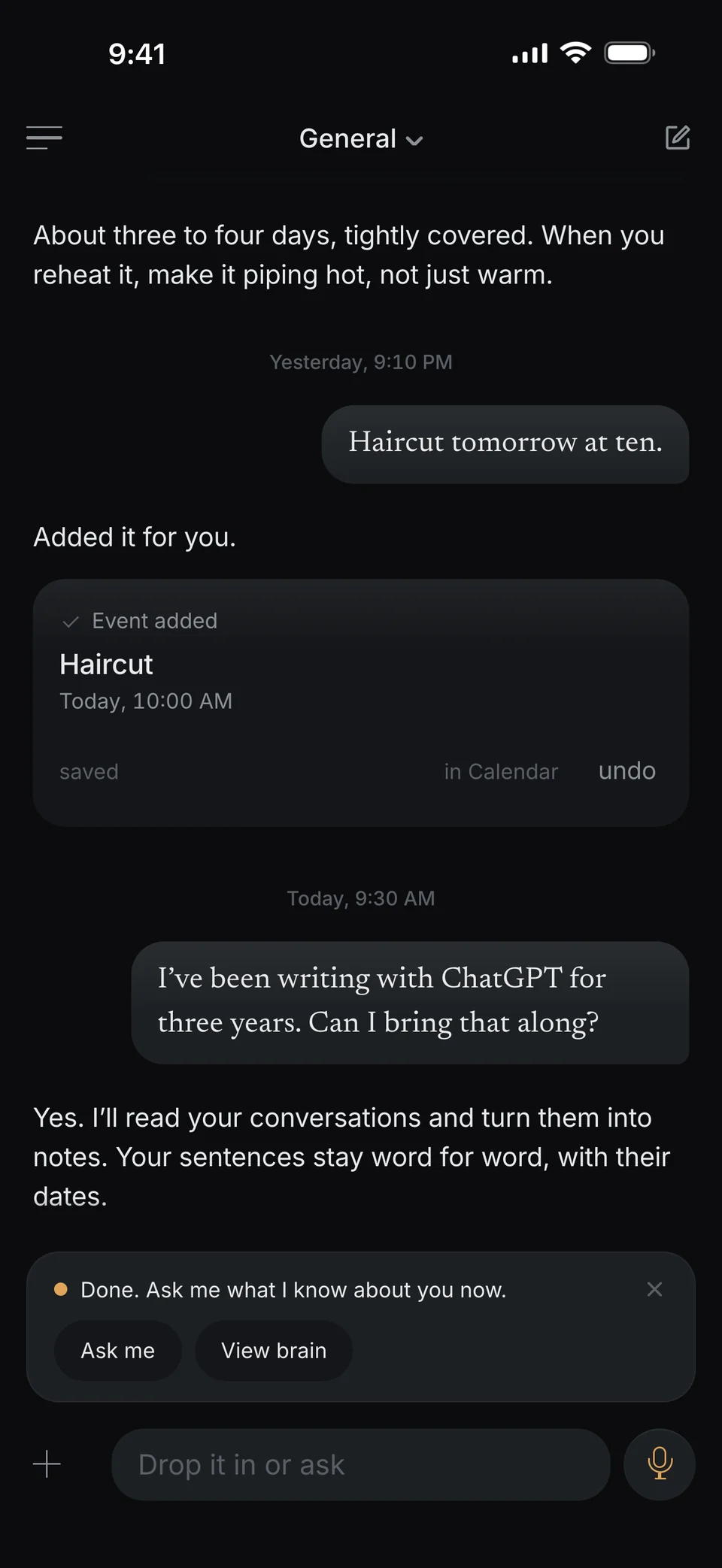
And your calendar
I show you your Outlook and Google events as soon as your iPhone knows them and you switch it on in dunel.
Questions about bringing chats
Which chats can I bring?
Exports from ChatGPT and Claude. I can’t read other formats yet. Photos and PDFs you simply send me in the chat.
Do I need to unzip anything?
No. I take the ZIP files from ChatGPT and Claude as they come.
Can I bring several exports?
Yes. Exports from ChatGPT and Claude can be picked together.
What if I pick the same file again?
I recognize a ChatGPT or Claude export and tell you where it already is. Nothing gets added twice.
Who sees my chats?
To read and sort them, the content I need goes to the service I also use to answer you in the chat. By default, it doesn’t use it for training. More under Security.
Don’t start from zero.
iPhone first.
- Coming soon to the App Store
- Coming soon to Google Play