Features
Everything I can do today.
Tell me once, typed, spoken or as a photo. I’ll add it, remind you when it’s time, and later show you your own words, with the date.
Say it
Say it the way it comes to you.
I can tell an event from a task and know what belongs on a list. You see right away what I added.
-
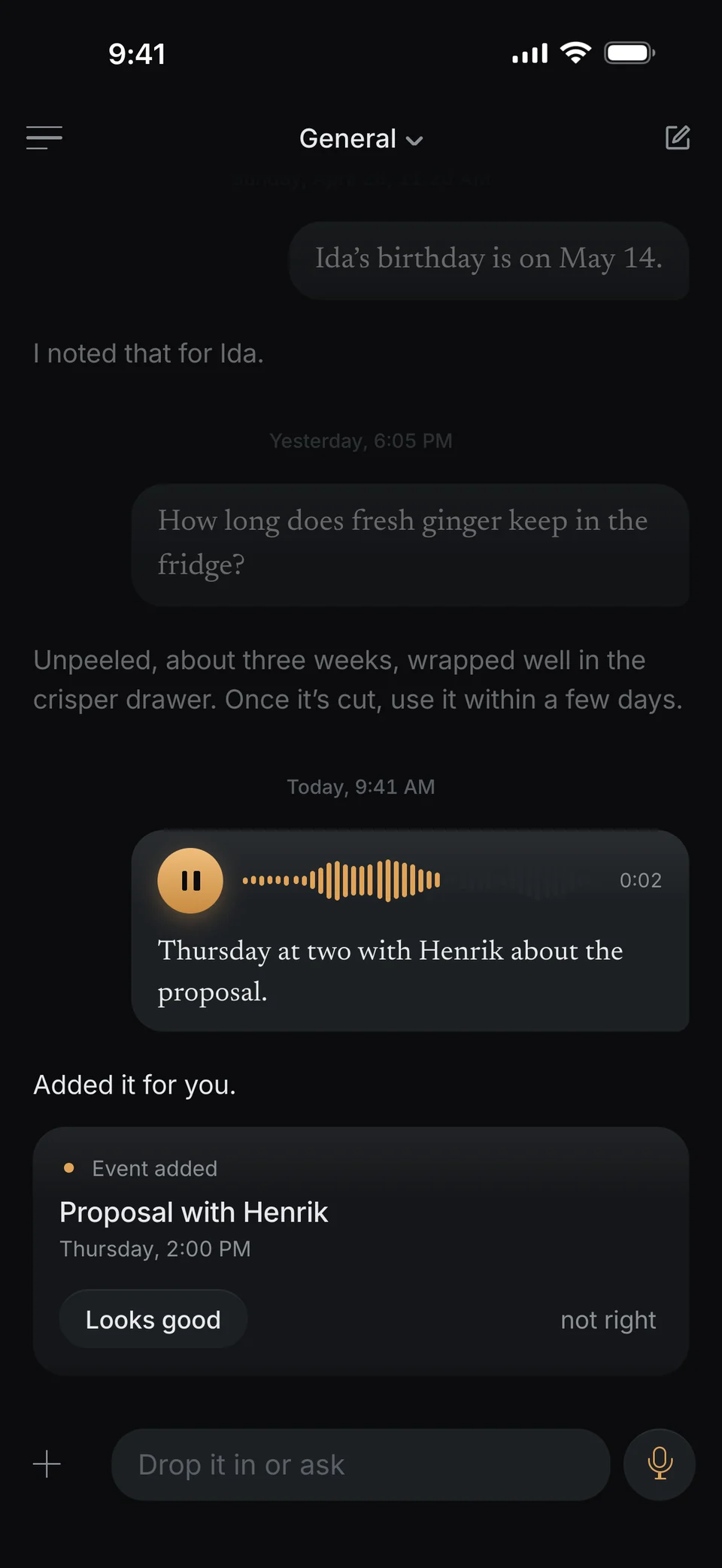
Events, just say them.
Just start talking. Your iPhone writes it down, and I add the event with its day and time, and its end if you name one.
-
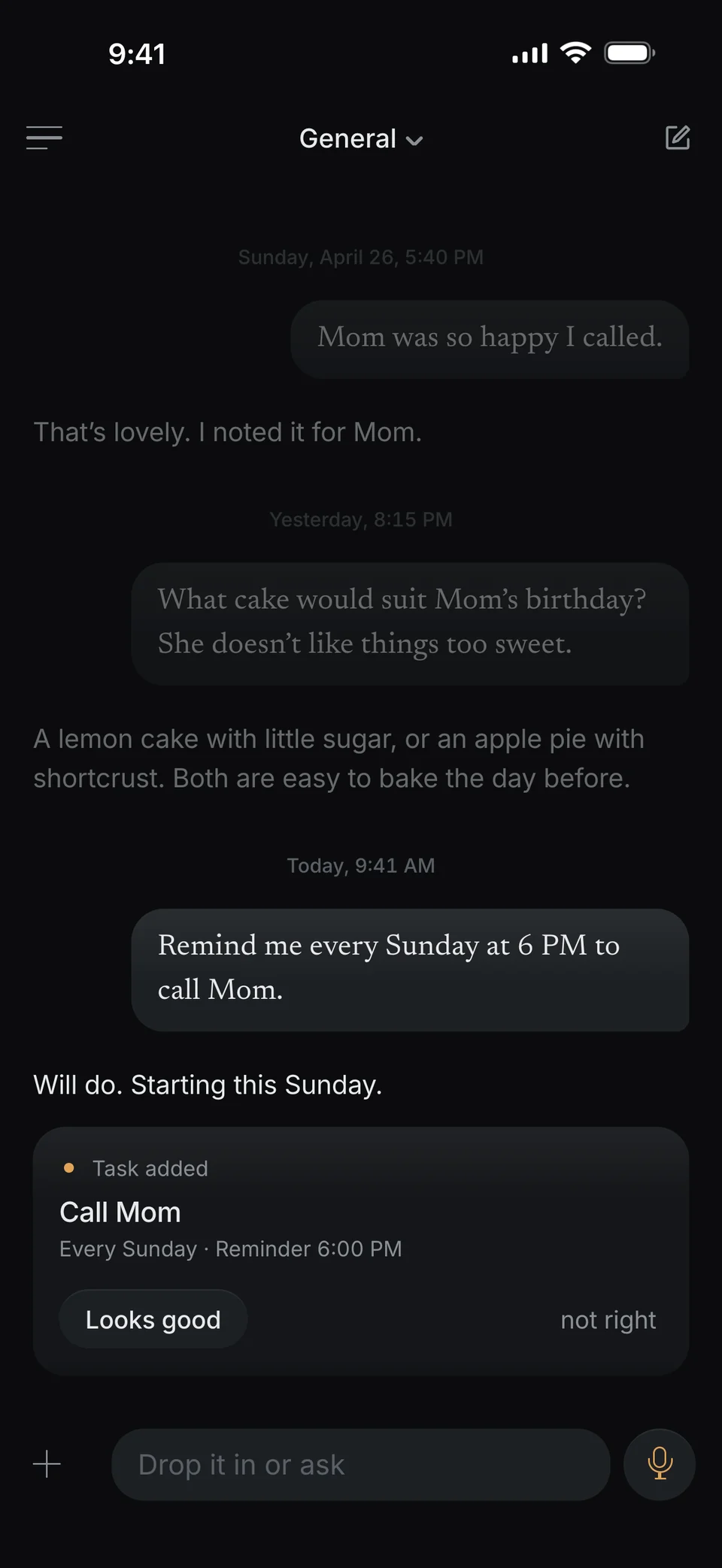
Tasks with due dates and reminders.
Repeating ones too: daily, weekly or monthly. When one is done, I set up the next.
-
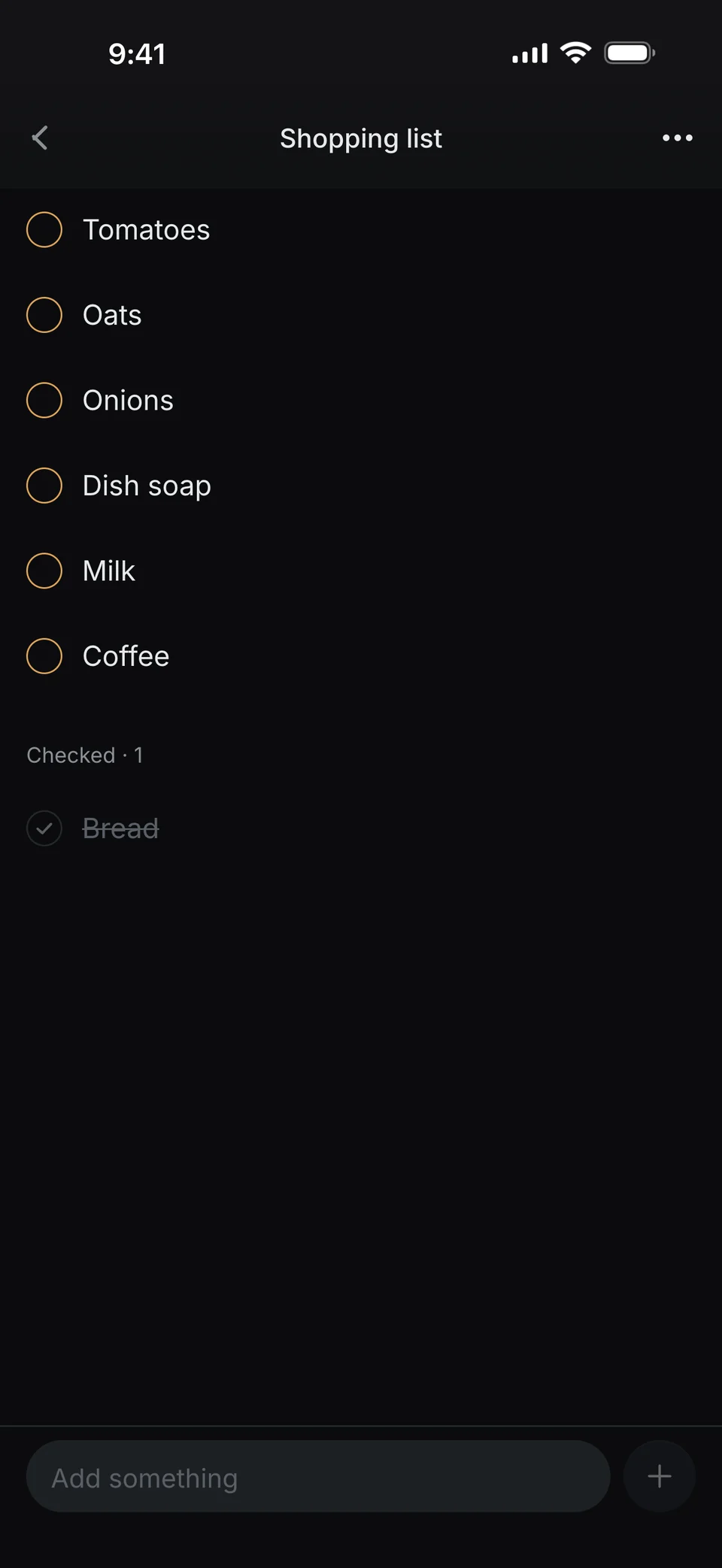
Lists in a single sentence.
Groceries, packing, gift ideas. Say what goes on it, and check it off later.
-
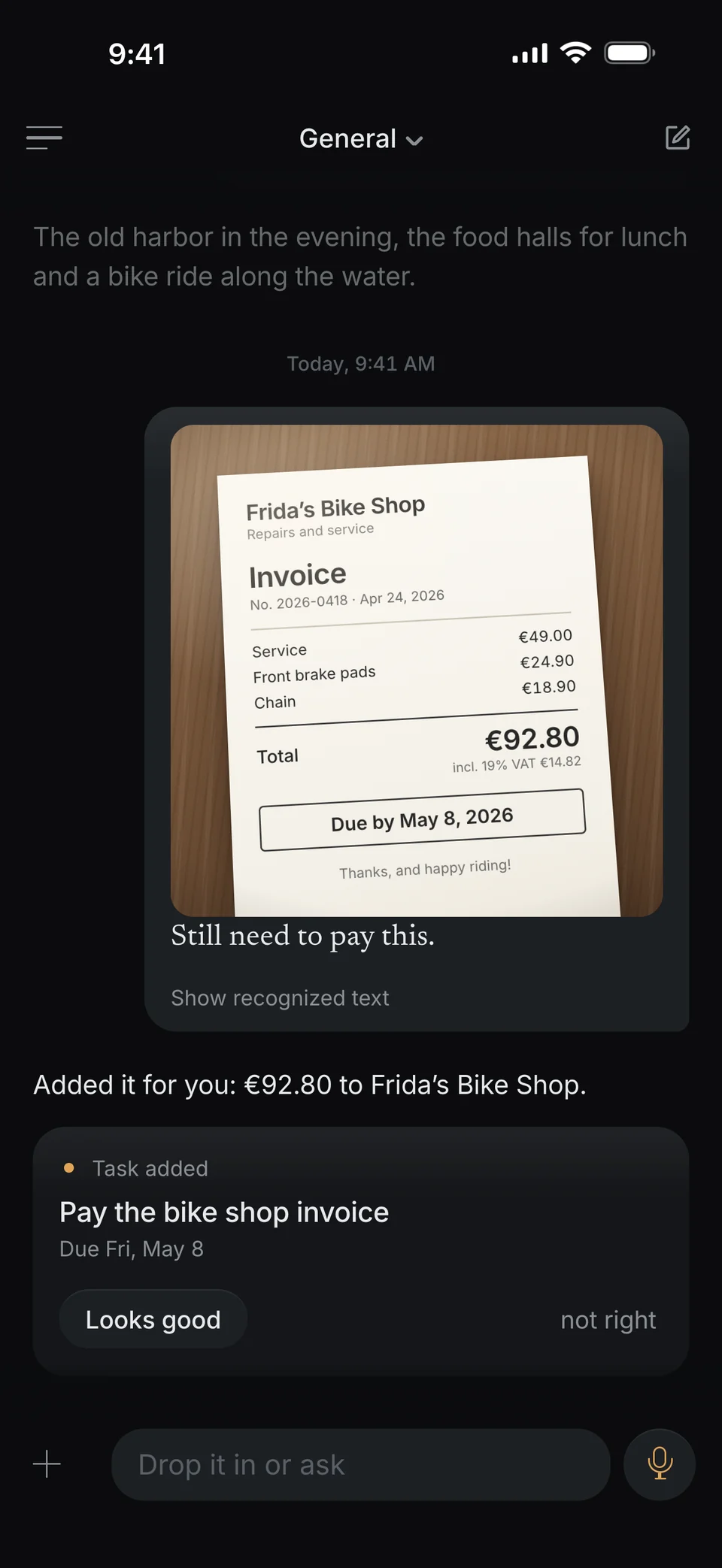
A photo becomes a due date.
Snap an invoice, a letter or a note. I read what it says and add what’s due. PDFs work the same way.
-
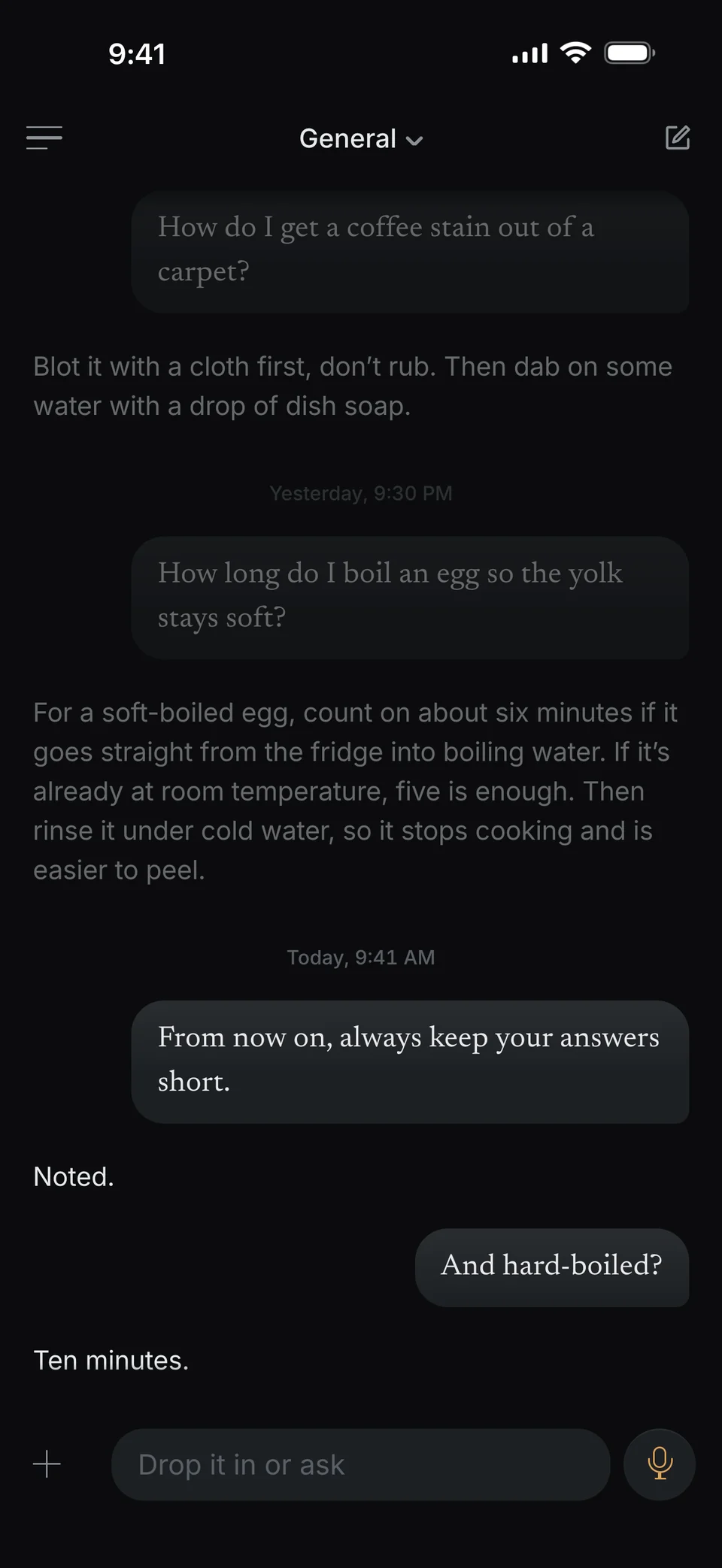
Tell me once how you like it.
“Always keep it short.” or “No reminders before 9.” I’ll remember, and you’ll find every rule in your profile.
-
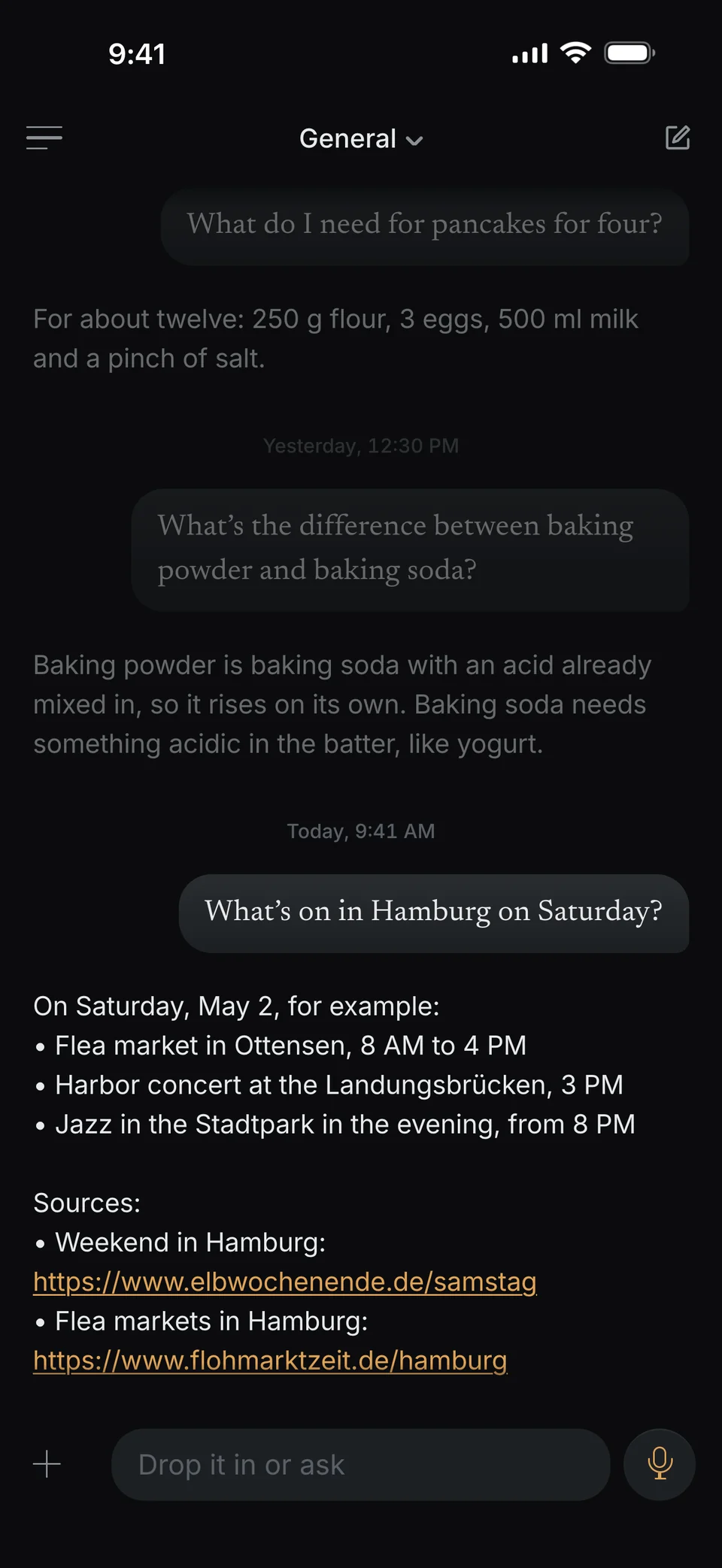
I’ll look it up for you.
For questions about the world, I search the web and give you the sources. Only the question goes out, never your notes.
-
You have the final say.
Every card comes with “Looks good” and “not right”. One tap, and I take it back.
-
Change it with a sentence.
“Actually, make it Friday.” or “It runs until 5.” I change it, no digging required.
-
Everything at a glance.
Today, calendar, tasks and lists: everything I added lives in one place, under Planning.
Reminders
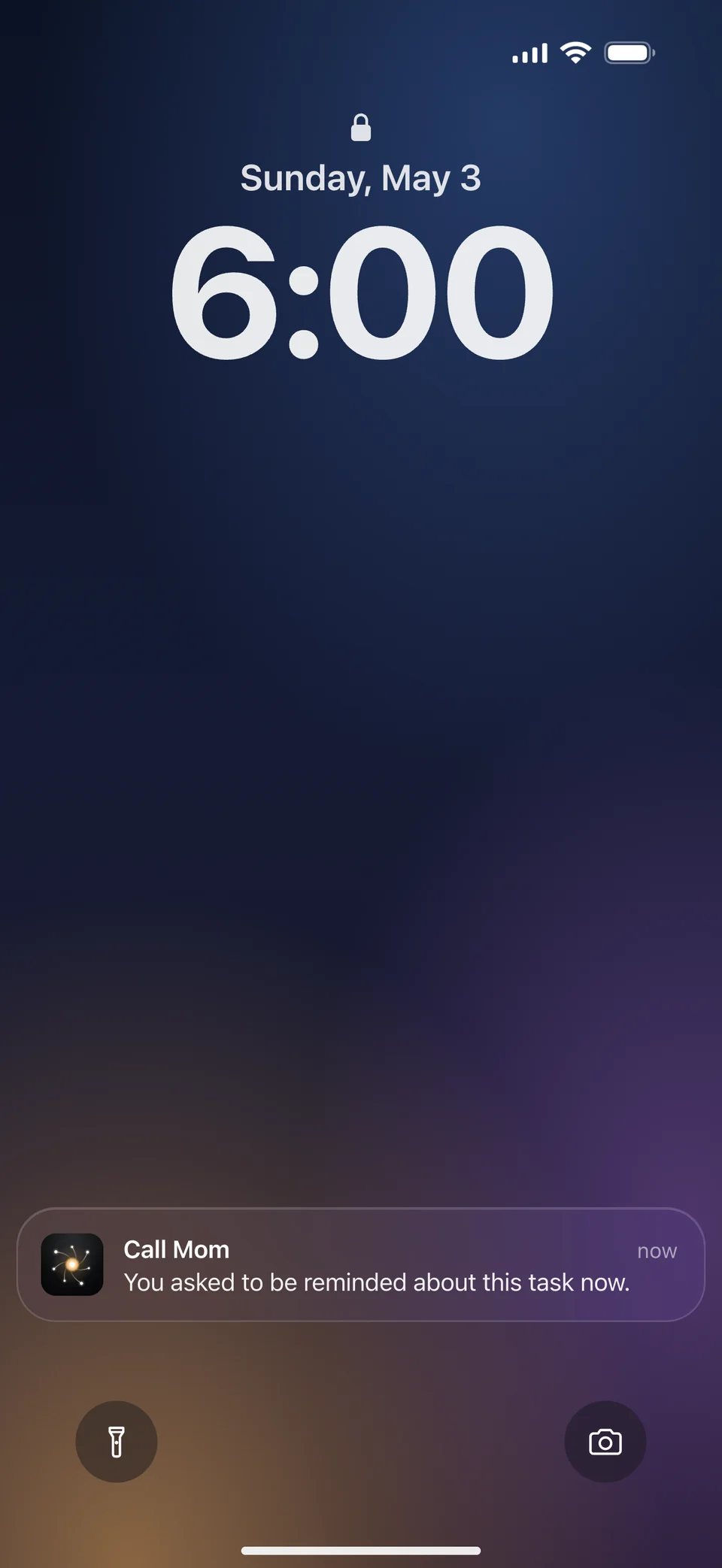
Give me a time, and I’ll remind you.
Your Lock Screen only ever shows the title, never your words.
-
Before events, your way.
5, 15, 30 or 60 minutes ahead. You set it once in your profile.
-
Before deadlines.
An hour before it’s due. If there’s no time, at nine in the morning.
-
Exactly when you say.
“Remind me Thursday at 9.” Then you’ll hear from me at 9.
-
Later, once more.
“Remind me again tomorrow morning.” The deadline stays put, only the reminder moves.
-
Quiet when you want it.
“No reminders after 10 PM.” or “Don’t bother me on weekends.” I’ll stick to it.
-
Turn them on once.
Switch reminders on in your profile. Your iPhone then asks whether I may send you notifications.
Find it again
Later, I’ll show you your own words.
Ask me three months from now what you promised Lena. You get your words back, exactly as you said them, with the date.
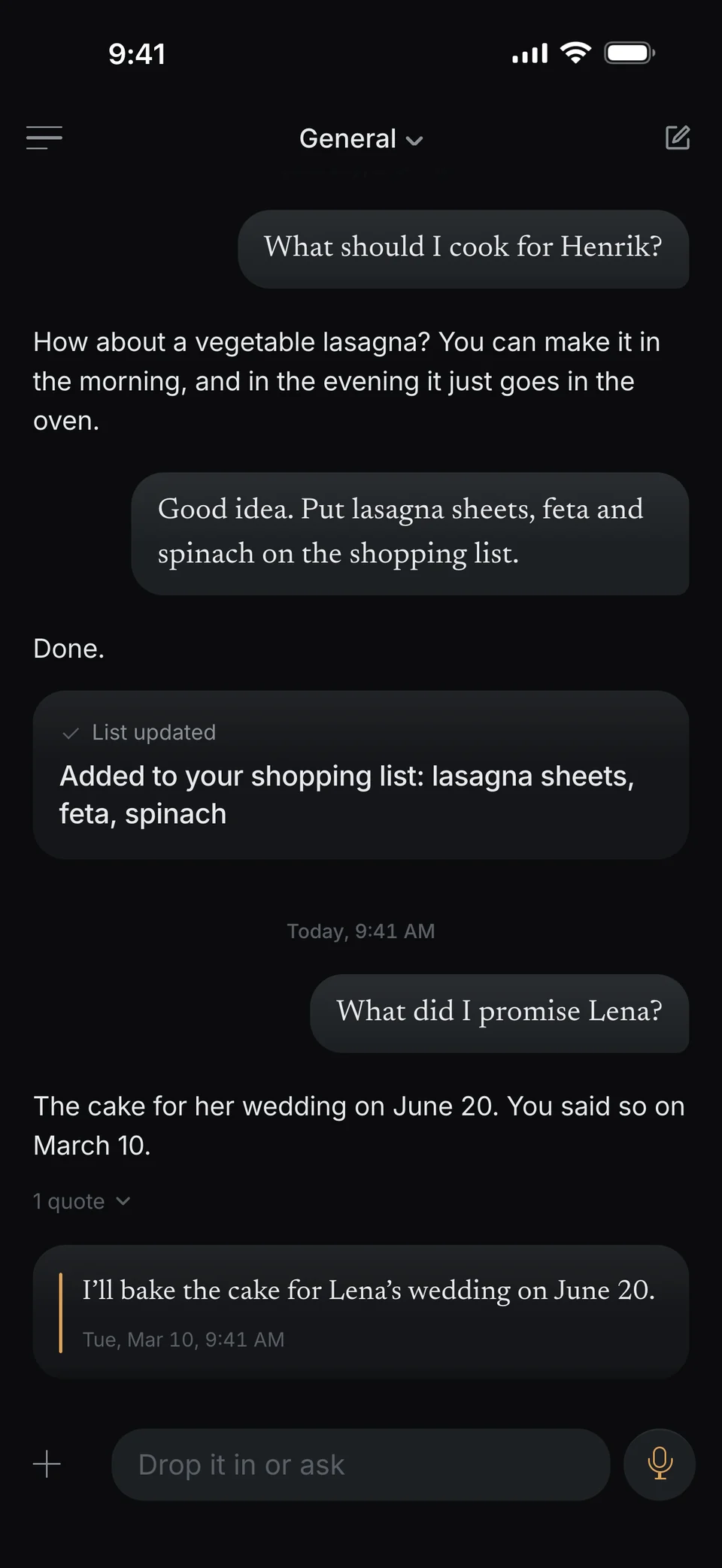
What did I promise Lena?
I’ll bake the cake for Lena’s wedding on June 20.
-
Word for word.
I only show a quote if it matches your original, character for character.
-
With the date.
You see when you said it. Even for messages from your old chats.
-
No quote without an original.
If I find nothing you said about it, I don’t show you a sentence as yours. What I add on my own can be off now and then. Your words can’t.
-
Ask the way you talk.
You don’t need to remember your exact words. I also look for what you mean.
Your brain
Everything you tell me, in one place.
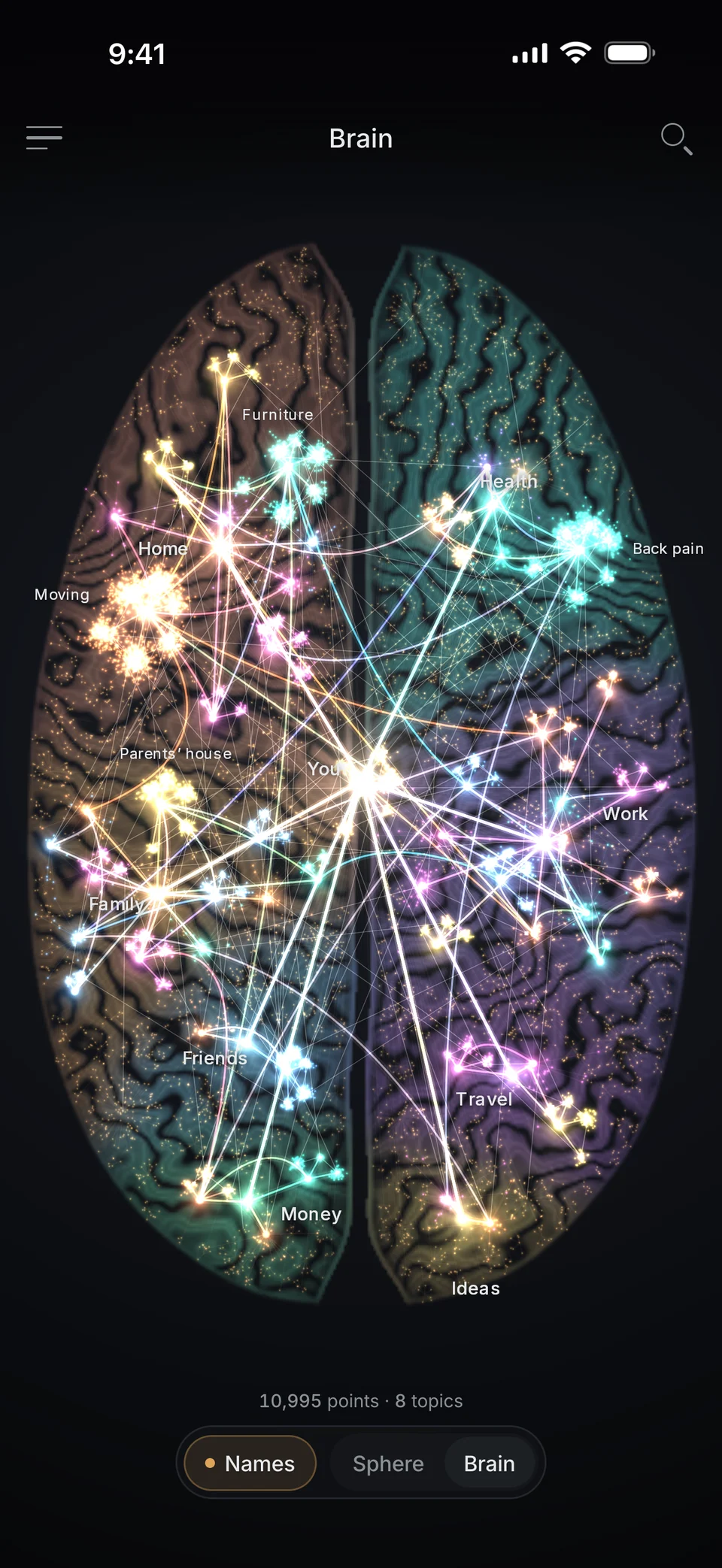
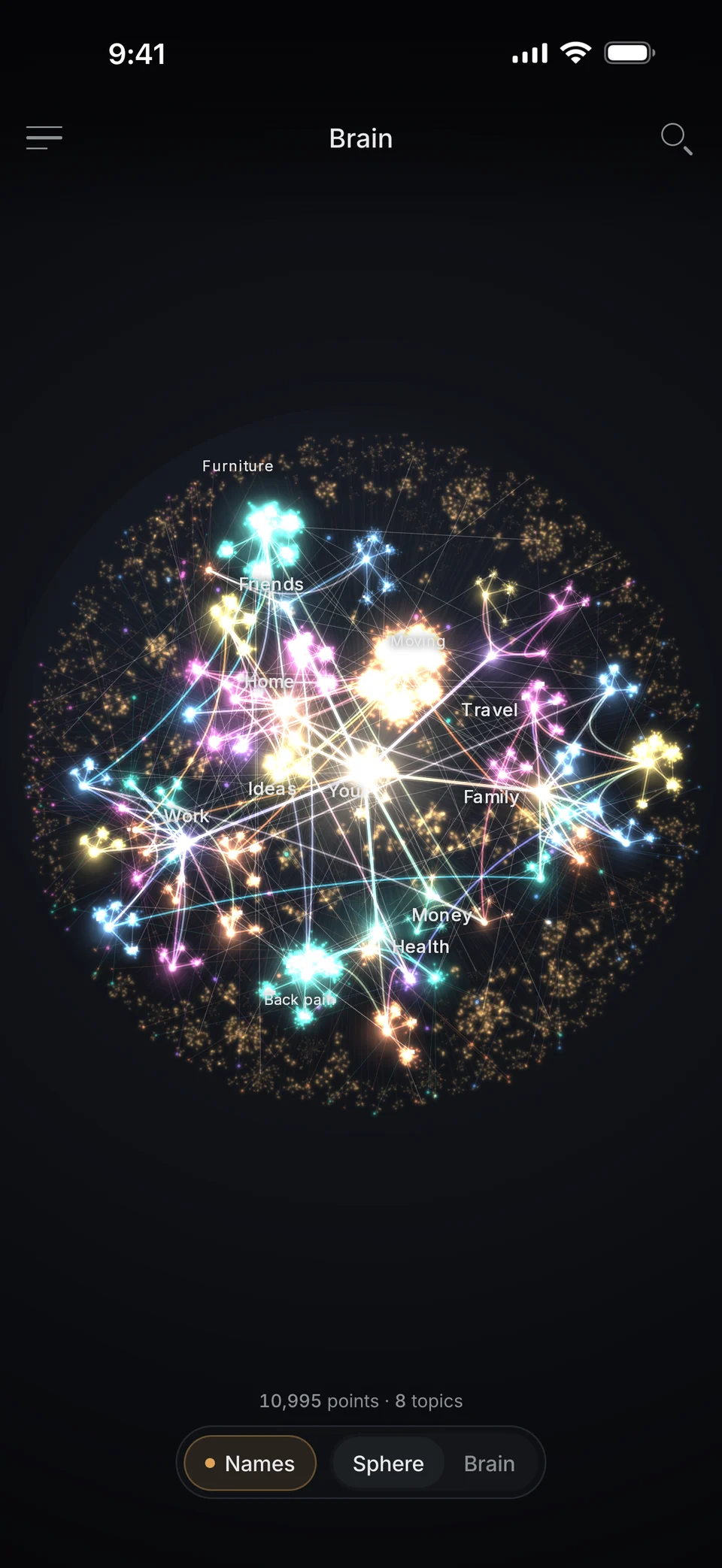
Every point is something you said. Together they make up your brain, sorted by topics and names.
-
Sphere or brain.
Pick the shape. Zoom in and tap a point.
-
Notes I keep for you.
On top, my summary, and you can edit it yourself. Below it, your own words, unchanged.
-
On people, companies and topics.
What you tell me about Ida goes into her note. What you tell me about yourself goes into the folder You.
-
As folders, too.
Rather have lists than lights? Open your notes as folders.
Bring your chats
Don’t start from zero.
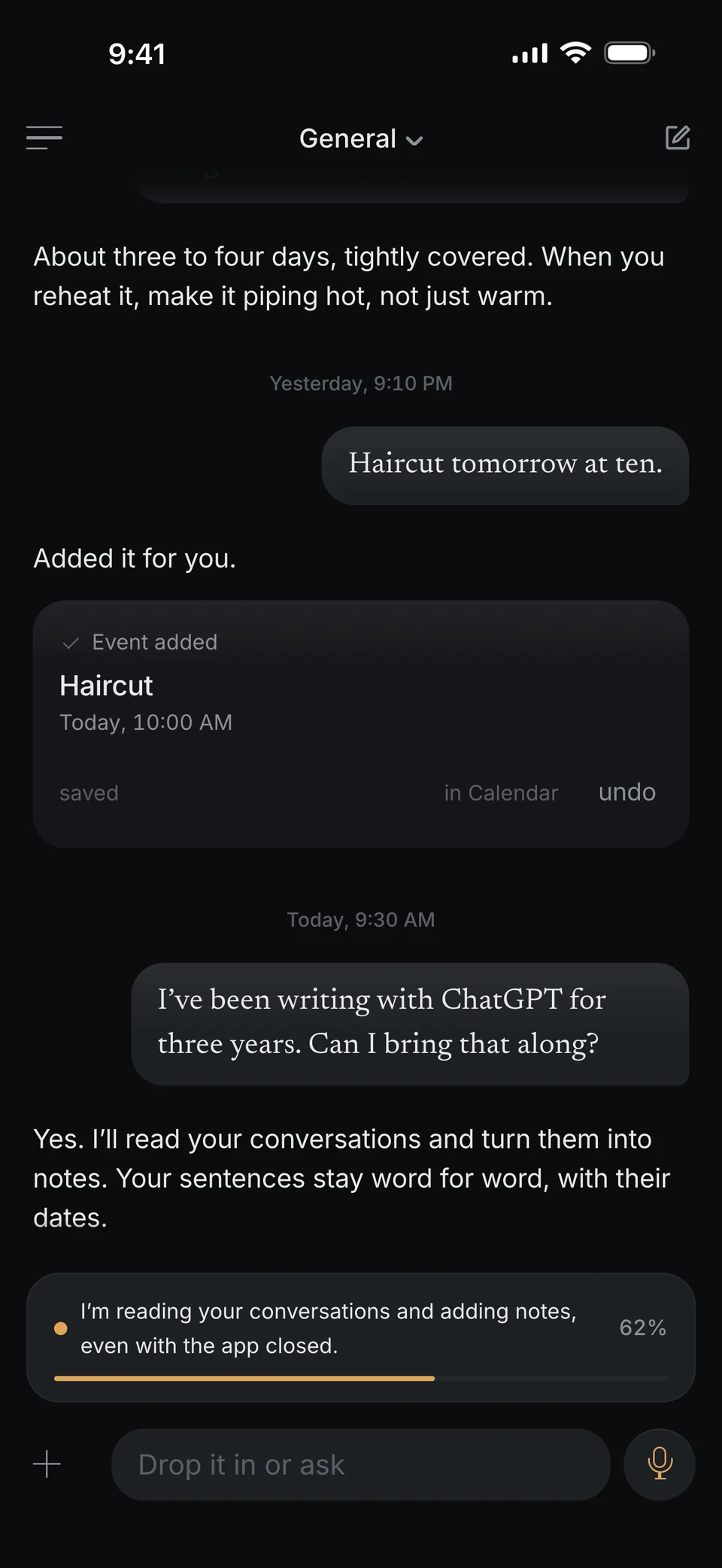
Bring your chats from ChatGPT and Claude. I read them and turn them into notes. Your words stay exactly as they were, with their dates.
-
Request your export.
In ChatGPT and Claude, you’ll find it in the settings.
-
Pick the file.
You get a file and pick it in dunel. Then I start reading, even with the app closed.
-
I read.
I write notes and sort everything into topics, even with the app closed.
I take up to 10,000 of your own messages per import. If your export is bigger, I take the most recent ones.
On your iPhone
Right where you are.
No need to hunt for the app first.
-
Widgets.
On your Home Screen or Lock Screen: one tap, and you’re talking. Or “Your Day”, with your next event and your most important tasks.
-
Action button and Control Center.
Put “Talk to dunel” on the button. Press once and start talking. iOS 18 and later.
-
Share from any app.
Text, a link, up to ten photos or files: tap Share and pick dunel.
-
Apple Calendar and Reminders.
If you like, I add events to your calendar and deadlines to Reminders. Your iPhone events show up in your plans.
-
Face ID.
If you like, dunel locks with Face ID. Right away, or after 1, 5 or 15 minutes.
Trust
You can count on it.
Some of this is more than a promise. It’s how dunel is built.
-
Your quotes are real.
A sentence you never said doesn’t get past me.
-
Nothing gets overwritten.
When something changes, a new version is added. The old one stays.
-
Take everything with you.
One archive with everything, including your photos, recordings and files.
-
Delete everything.
In your profile, you delete your account and everything in it.
-
Only the title.
Notifications never show your words.
-
Honest about where it lives.
Stored in Frankfurt, Germany. For answers, the content needed goes to a specialized service, also outside the EU. To search your own words, I use a second one. The privacy policy names both.
Feel free to forget. I’ll remember.
- Coming soon to the App Store
- Coming soon to Google Play
Coming to iPhone first. Android will follow.