Use your Outlook and Google calendars with dunel
I read every calendar your iPhone knows, Outlook and Google included. Add your account on the iPhone once, under Settings, then Apps, then Calendar, then Calendar Accounts. Then, in dunel, go to Profile, then Calendar and switch on Read iPhone calendar. You don’t need a separate connection to Outlook or Google, and dunel doesn’t have one yet.
At a glance
- What you need
- Your Outlook or Google account, added on your iPhone
- Where you switch it on
- In dunel under Profile, then Calendar
- What I can do then
- Show your events in Today and Calendar, and if you like, take them into account when you plan in the chat
- What I can’t do
- Write into your Outlook or Google calendars
- In the browser
- Not possible. I only read your calendar in the iPhone app
Add the account on your iPhone
If your Outlook or Google events already show up in your iPhone’s Calendar app, you can go straight to dunel.
- 1
Open the Settings app and tap Apps, then Calendar.
On iOS 17 and earlier, go straight to Settings, then Calendar.
- 2
Tap Calendar Accounts, then Add Account.
On iOS 18 and earlier it’s called Accounts.
- 3
Choose your provider and sign in.
For Google, tap Google. For Outlook, use Microsoft Exchange, or Outlook.com if it’s in the list. With a work or school account, signing in may depend on their settings.
- 4
Make sure Calendars is switched on.
I don’t need mail or contacts, so you can switch those off. If the account is already there, tap it under Calendar Accounts and switch on Calendars.
- 5
Open the Calendar app and check that your events are there.
Only once they show up there can I read them too.
Switch it on in dunel
- 1
In dunel, tap Profile, then Calendar.
- 2
Switch on Read iPhone calendar.
The first time, your iPhone asks whether I may access your calendars. Allow full access, otherwise I can’t read anything. After that, your Outlook and Google events show up in Today and Calendar.
- 3
If you like, switch on Use in chat.
Then I know your Outlook and Google events in the chat too, for example when you ask “Am I free on Thursday?”. For this, titles, times, places and calendar names from the last 7 and the next 60 days go to the service I use to answer you. It also says so right below the switch.
- 4
If you like, switch on Add to calendar.
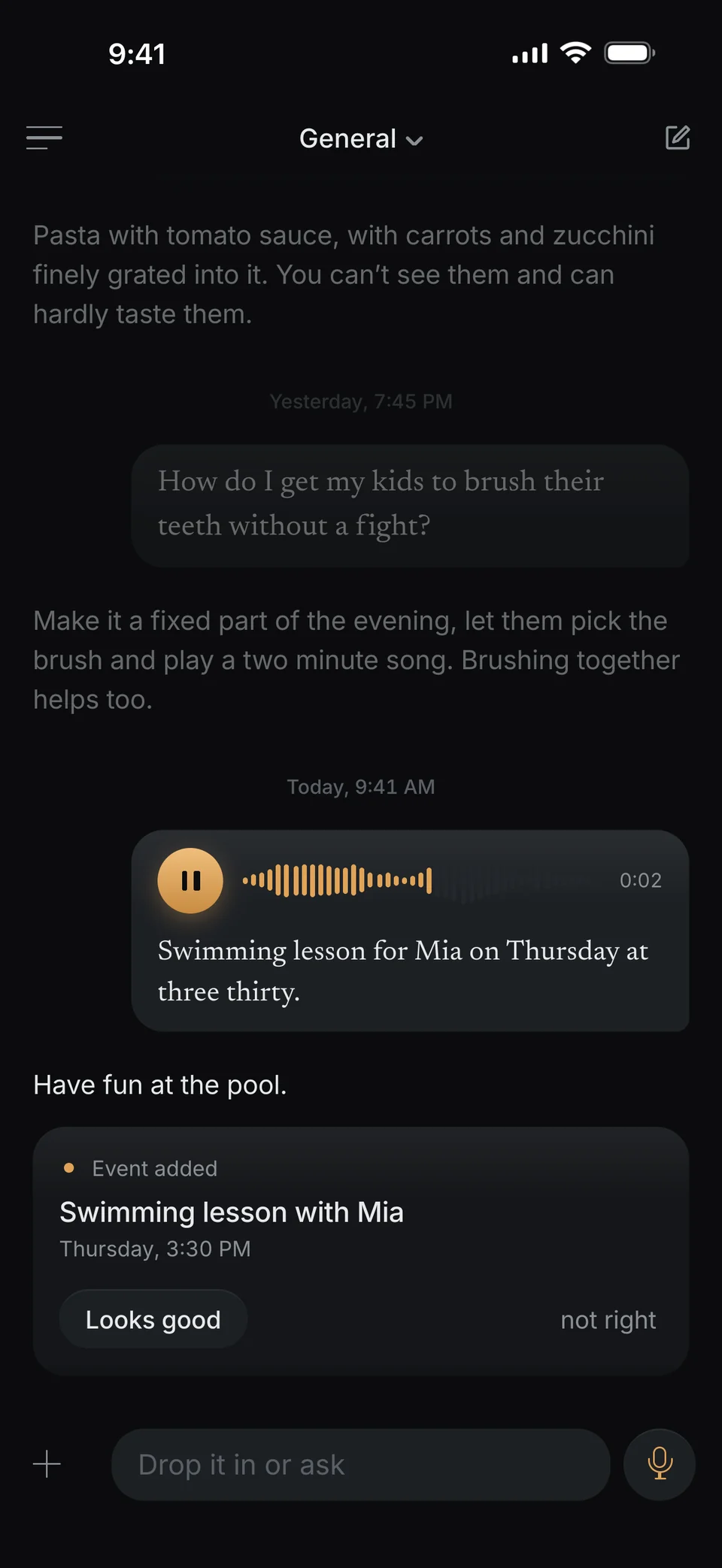
Then I add new events right away to a calendar of my own that I create for this, and due dates to Reminders. You don’t need to tap Looks good for it.
All three switches start off and apply to this iPhone.
What I can do then
- Your events from Outlook, Google and iCloud show up in Today and Calendar, next to what you told me.
- Each one says which calendar it comes from. What you told me yourself comes with your own sentence.
- If the same event with the same title at the same minute is both with me and in your calendar, I show it once.
- With Use in chat, I know your events when you plan, too, for example “Am I free on Thursday?” or “What’s on next week?”.
With Read iPhone calendar, your events stay on the iPhone and aren’t saved. Only with Use in chat do they go to the service I use to answer you. More under Security.
What doesn’t work yet
- A direct connection to Outlook or Google, without going through the iPhone, isn’t there yet.
- I don’t write into your Outlook or Google calendars. My events go into a calendar of my own that I create for this.
- I can’t change or delete events from Outlook or Google. You keep doing that there.
- In the browser I don’t read any calendar and don’t add anything. That only works in the iPhone app.
If something goes wrong
I don’t see my Outlook or Google events in dunel.
First look in the iPhone’s Calendar app. If they aren’t there, the account isn’t added yet or Calendars is off for it. If they are there, check in dunel under Profile, then Calendar that Read iPhone calendar is on.
The switch stays off.
Then your iPhone hasn’t given me access to your calendars. Below the switch you’ll see Open Settings. Allow full access to your calendars there and switch it on again.
In the chat you don’t know my Outlook events.
For that, Read iPhone calendar and Use in chat both need to be on. Read iPhone calendar on its own only shows the events in Today and Calendar. In the chat I see the last 7 and the next 60 days.
An event isn’t in my iPhone calendar.
If the card doesn’t say in your calendar, I couldn’t add it. I don’t add anything that is already over. First check that Add to calendar is on. I create my own calendar in the account that holds your default calendar. If that’s an Outlook or Google account, this may not work, depending on the account. Then set an iCloud calendar under Settings, then Apps, then Calendar, then Default Calendar, and then I add it by myself. The event is in my Calendar either way.
Does this work in the browser?
No. In the browser I don’t read any calendar and don’t add anything. You still see your events with me there under Today and Calendar.
Can I switch it off again?
Yes. Each of the three switches under Profile, then Calendar goes off with one tap. You can also take away my access to your calendars in the iPhone’s settings.
Sources
- Change your Calendar settings on iPhone · Apple Support
- Set up mail, contacts, and calendar accounts on iPhone · Apple Support
- Add Google Calendar events to Apple Calendar · Google Calendar Help
Checked against the official help pages from Apple and Google on October 5, 2026. Menus change with every iOS version. If something looks different for you, the provider’s help page wins.